

Stand out from the competition!
Hey There!
Did you know that your Buyers have direct access to all products on special on FoodByUs?
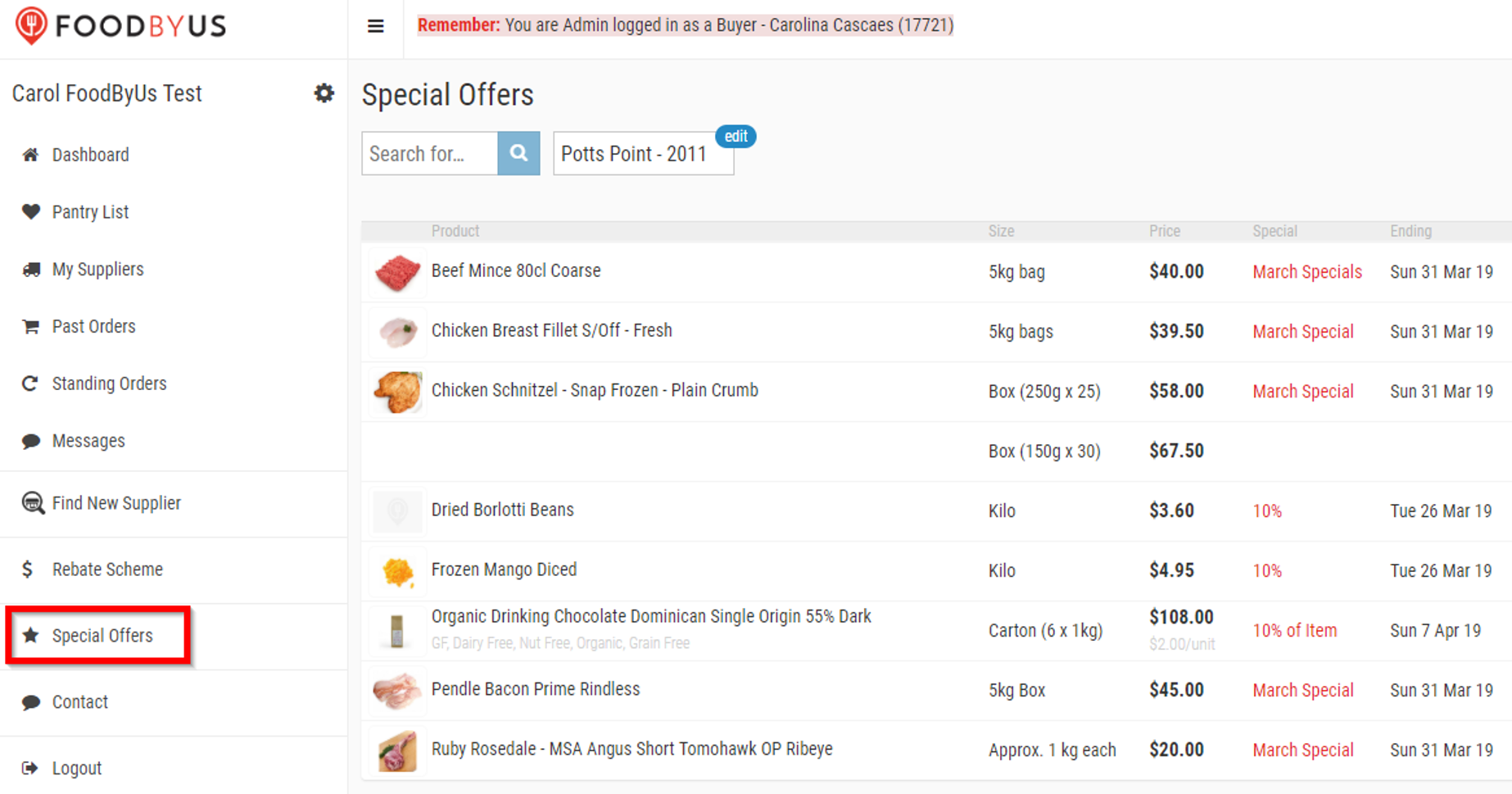
Increase your gains creating special offers, discounts and promotions. See the step by step below:
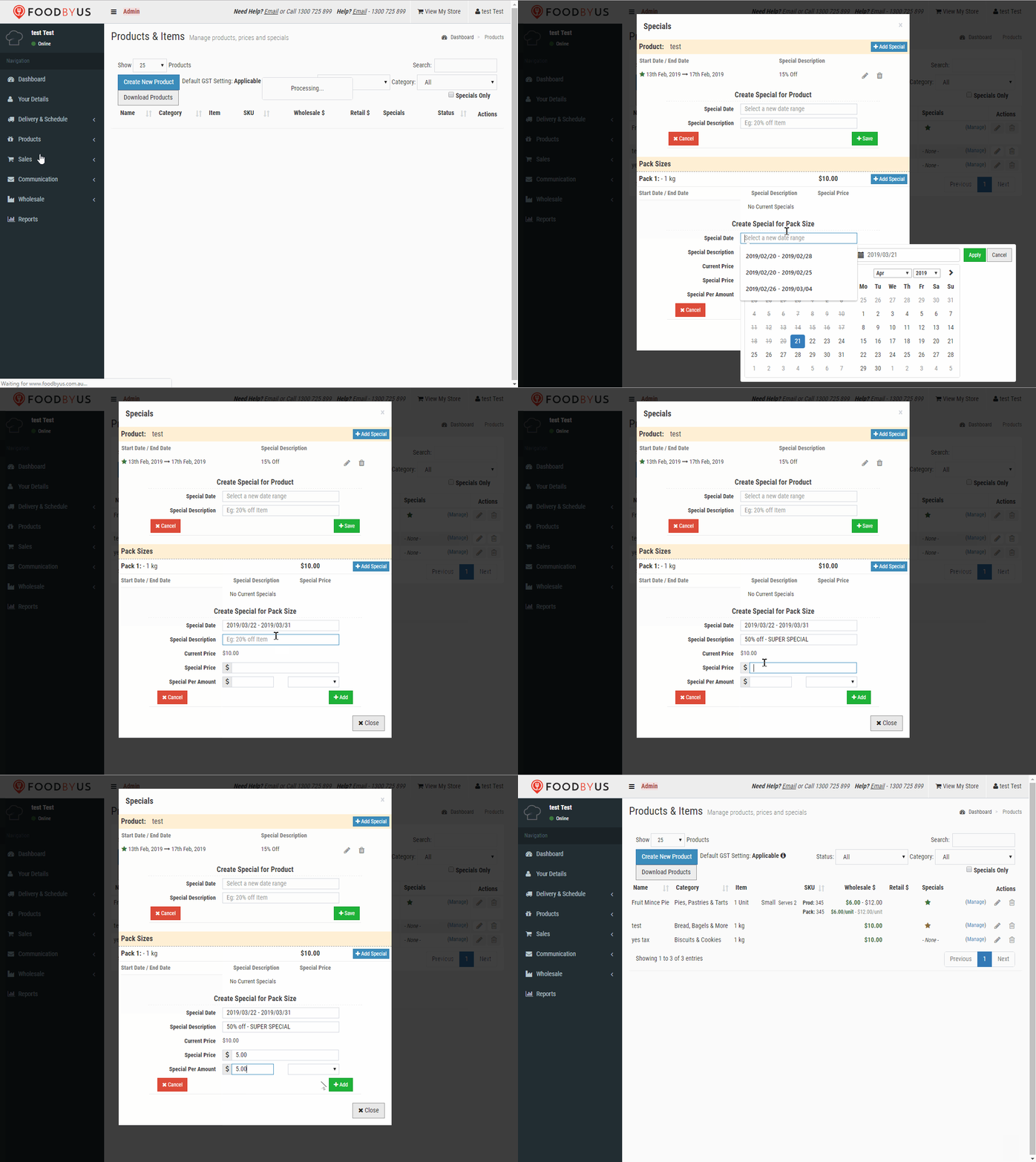
- Tap Products on the navigation bar
- Choose the product and tap Manage
- Select a date range (for how long the Special will be available)
- Describe the offer: 50% Off, Buy One get One Free,
- Type the special price
- Type the price/amount: Price per Kg/unit/Litre
- Tap “+Add”
- See the star? That means is all done!
Need any assistance?
Just give us a call on 1300 725 899 or email us at support@foodbyus.com
Cheers!
The FoodByUs Team