

Your Buyers love knowing they’re going to receive their order!
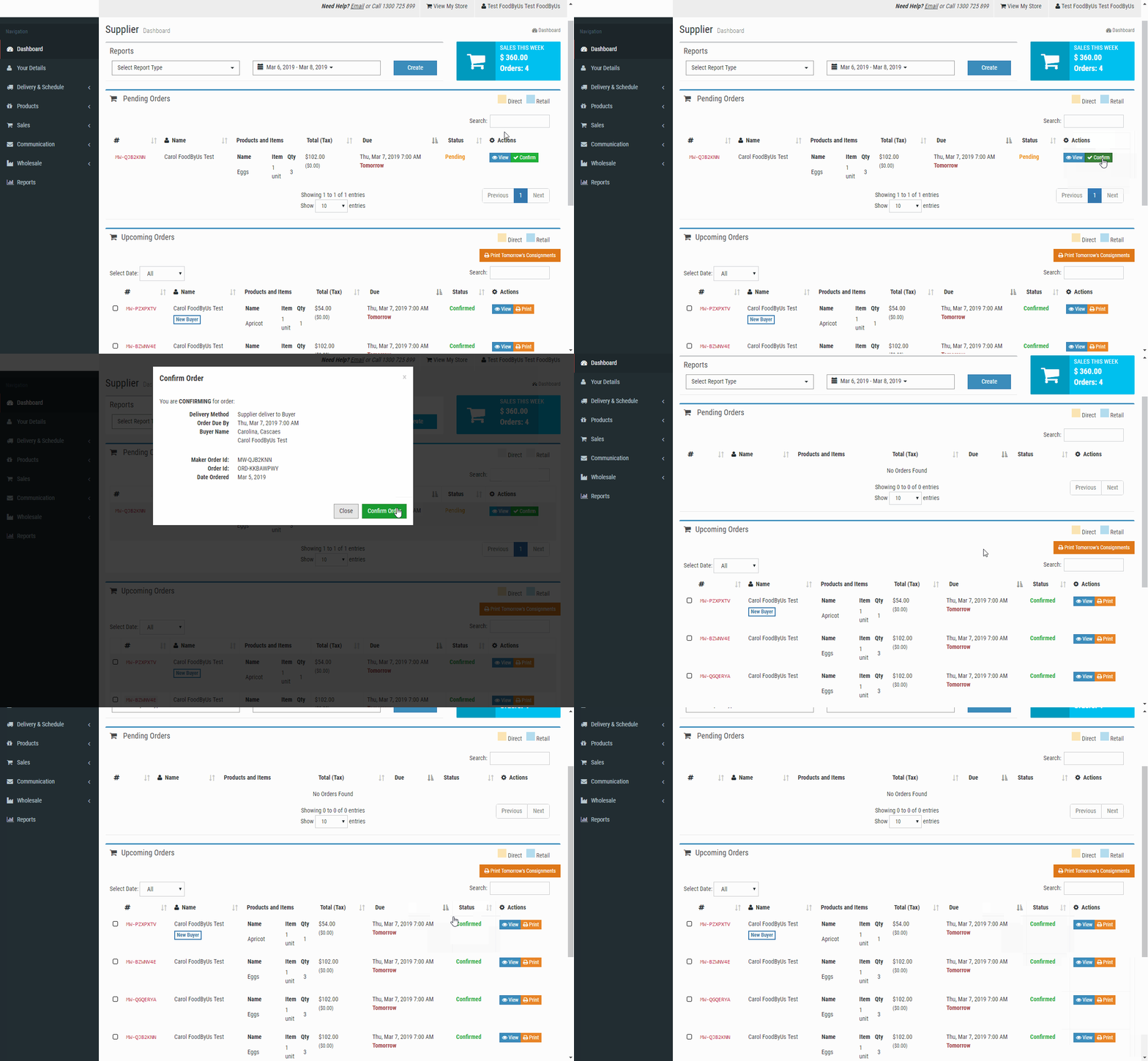
When you receive any FoodByUs order, the first thing you need to do is confirm the order using the FoodByUs dashboard. This takes just a few seconds and informs your Buyer they’ll definitely be receiving their order. It provides visibility, comfort and creates the best ordering experience for your Buyers!Remember -our system is built to only issue payments to Suppliers for confirmed orders - so it’s important if you want to get paid! To confirm your orders:
- Login in to your dashboard here: https://www.foodbyus.com.au/supplier/login (let us know if you don’t know your login details)
- Tap confirm (Green button on the right of each order)
- Tap confirm on the order box that will show on your screen
Need any assistance?
Just give us a call on 1300 725 899 or email us at support@foodbyus.com
Cheers!
The FoodByUs Team