
A Standing Order (SO) is a recurring order automatically placed for you and scheduled for delivery at X number of times of X days of the week. This helps you save time and effort that you’d otherwise spend to manually place the exact same order.
You may create multiple SOs for your specific needs, and you may also make changes to your standing order after you’ve created it.
To change or to edit an SO:
Step 1: Launch your FoodByUs sign-in page.
Step 2: Enter your FoodByUs registered e-mail address and password, then click on SIGN IN.

Step 3: From your dashboard, click on My Orders > Orders.
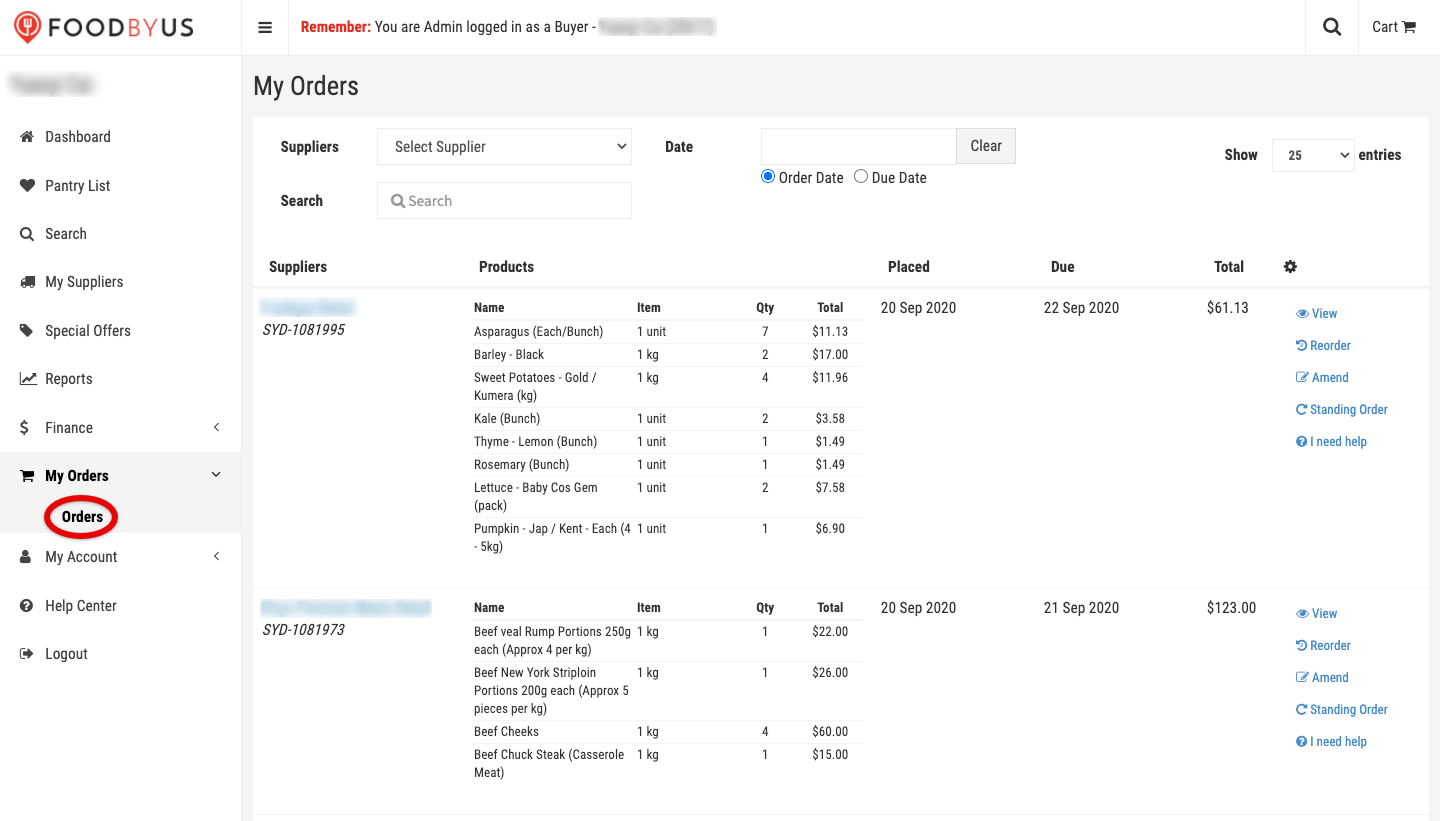
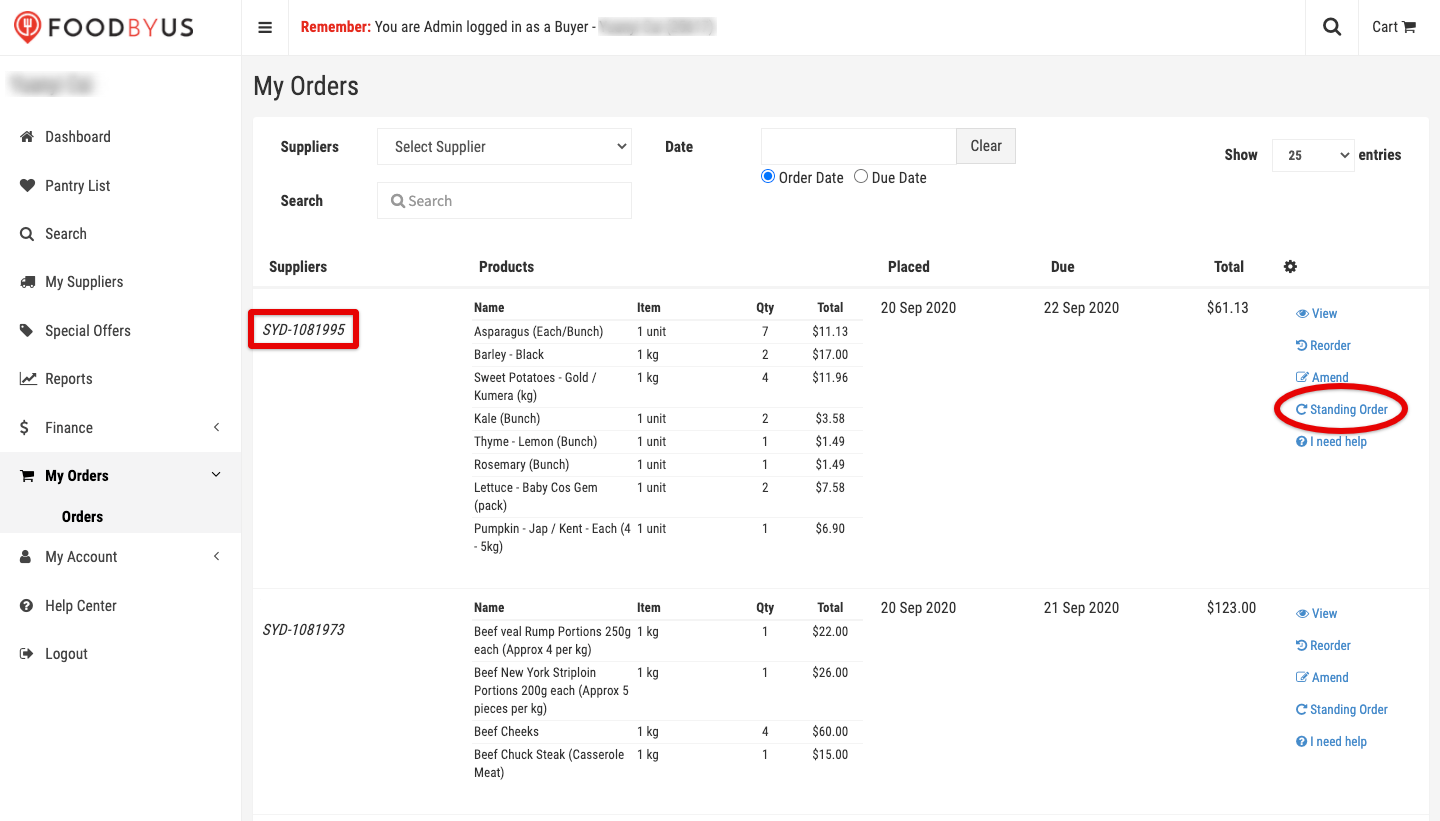
Pick any order and click on Standing Order to its right.
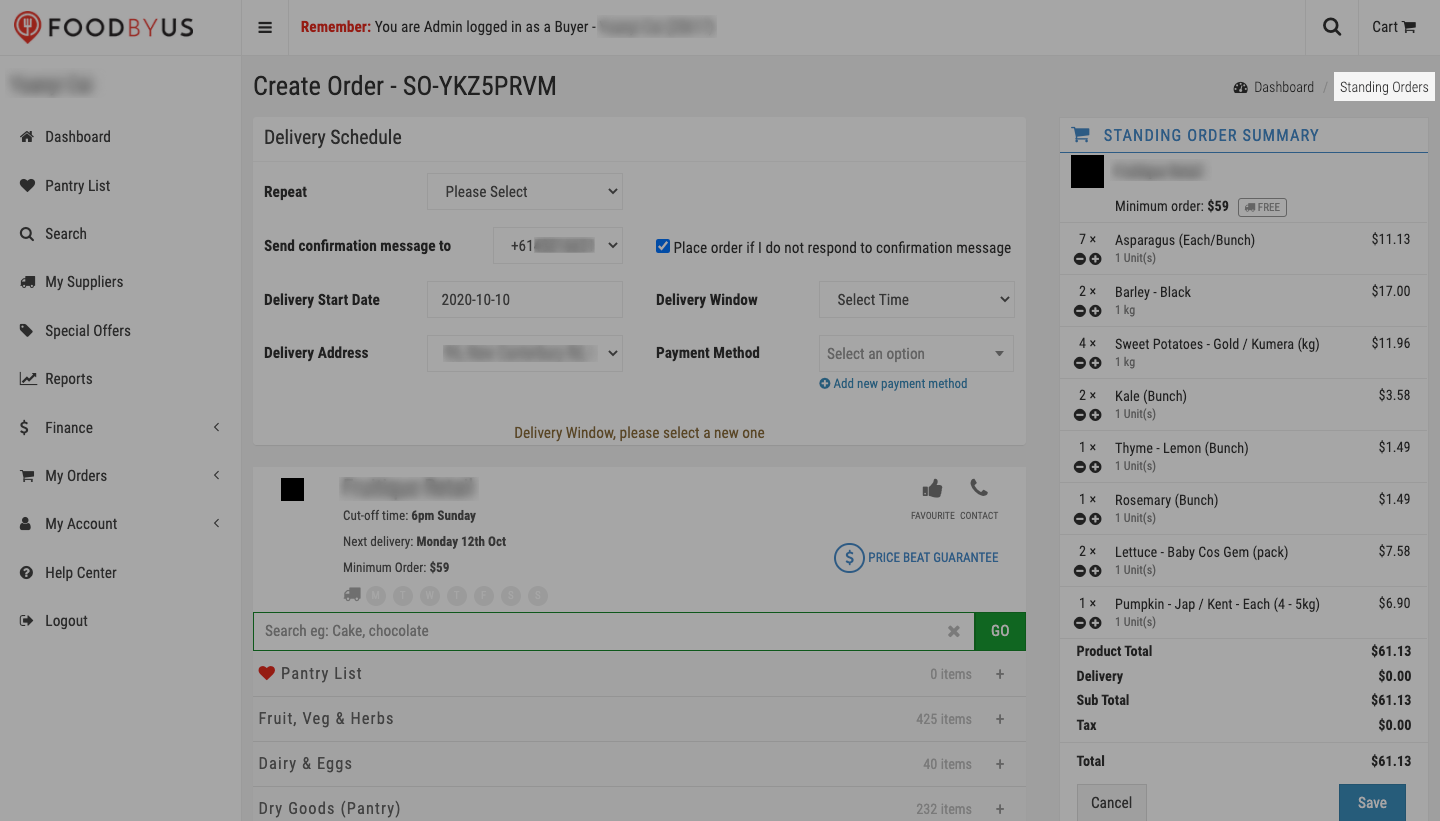
Step 4: On the Create Order page, click on “Standing Orders” on top of the Standing Order Summary section.
Step 5: Find the existing SO you’d like to change, then click on Edit.

Take note of the pop-up message when it appears, then hit Edit.

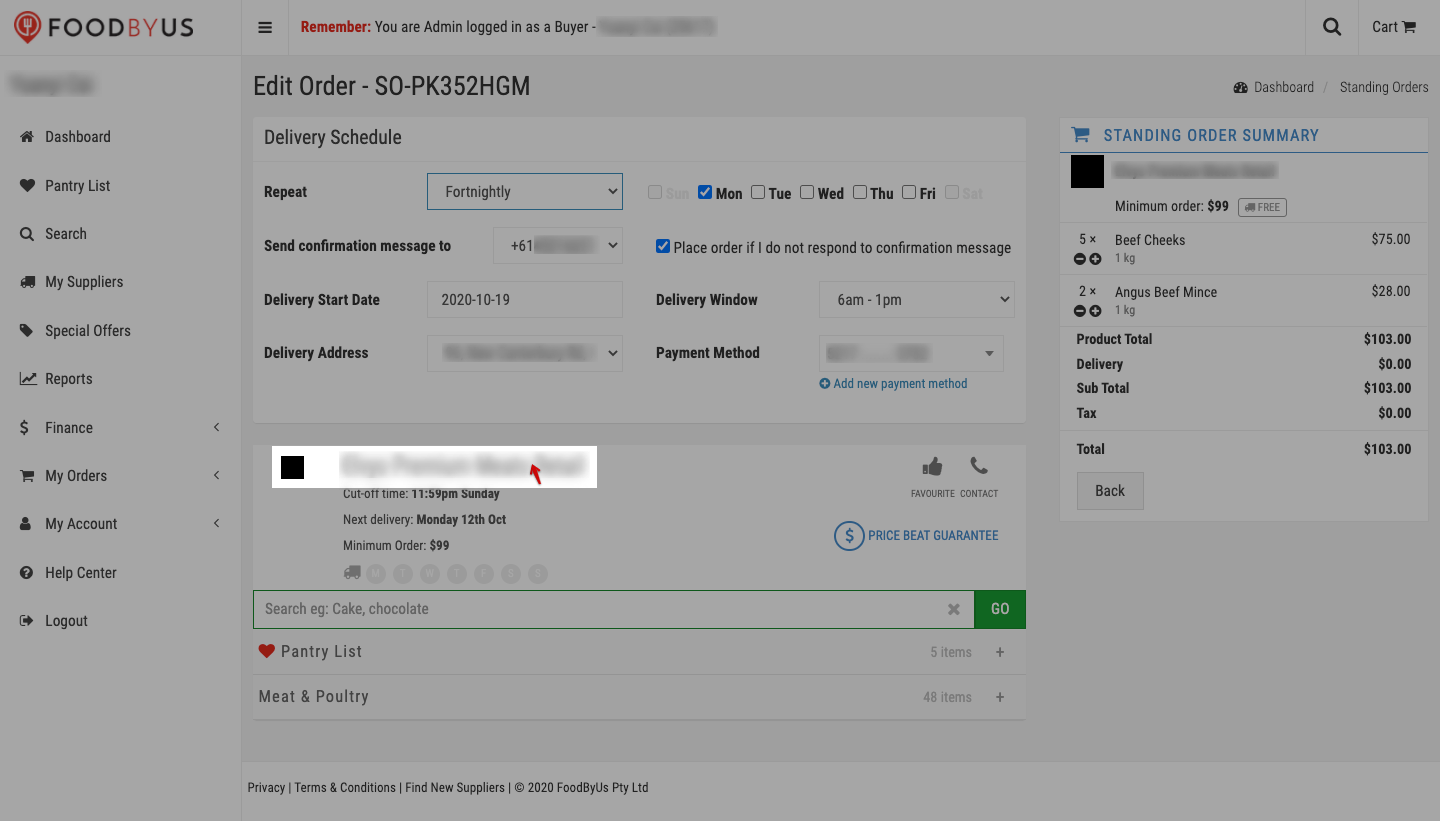
Step 6: On the Edit Order page, you may now change your Delivery Schedule details.

And the items of your order. This includes adding or subtracting the quantity of or deleting an item entirely and adding new items.
To add new items, go back to the supplier’s store by clicking on their name.
Or add your favorite items.
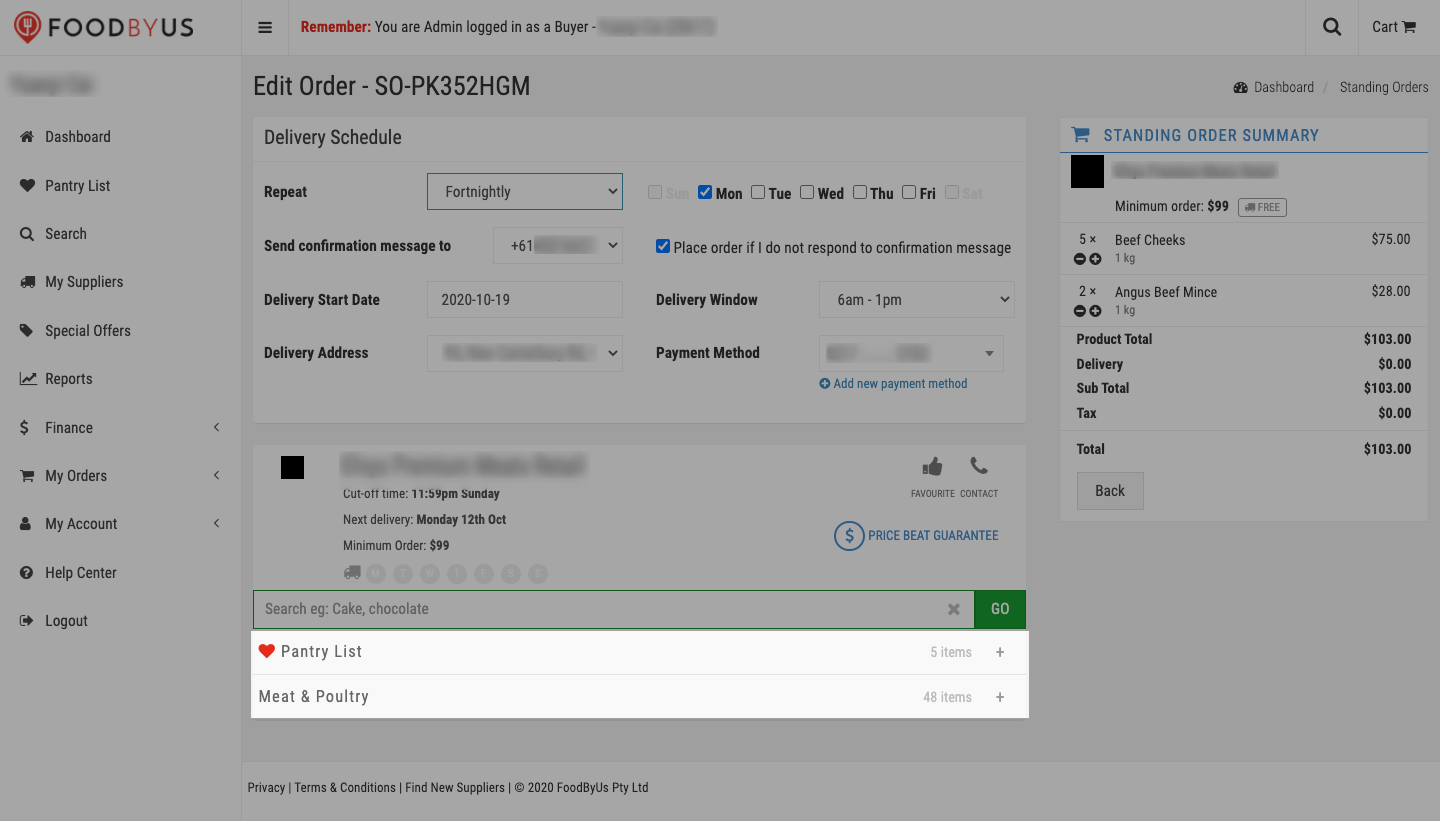
To quickly add items from your Pantry List or your favorite product category, click on the “+” to the right of either list.

Then choose and add your item(s).


Step 7: When you’re done making changes, click on Enable under your order summary.

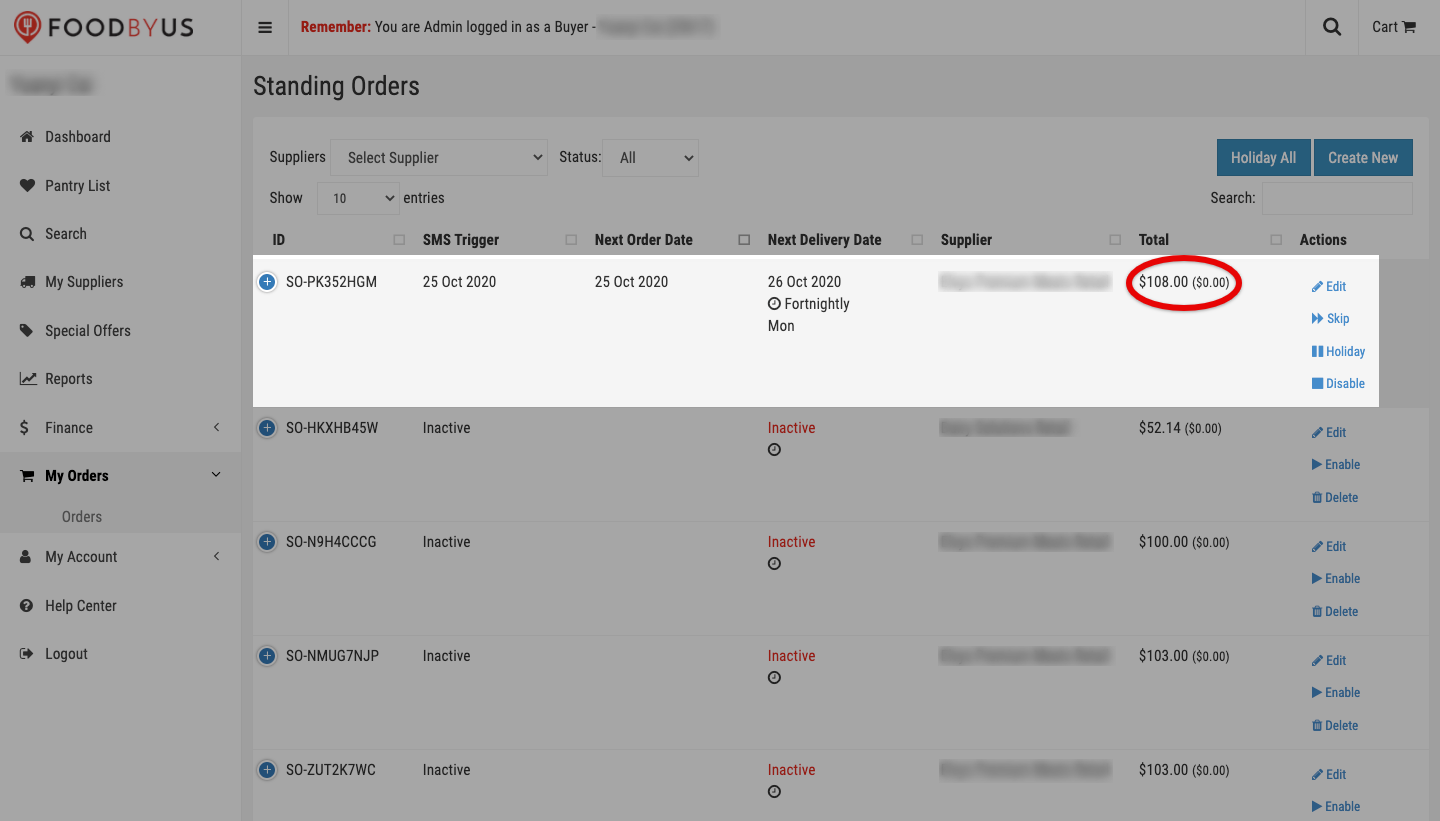
This will return you to the Standing Orders page. Find the order you’ve just edited. Based on the total order amount, your changes have been saved.
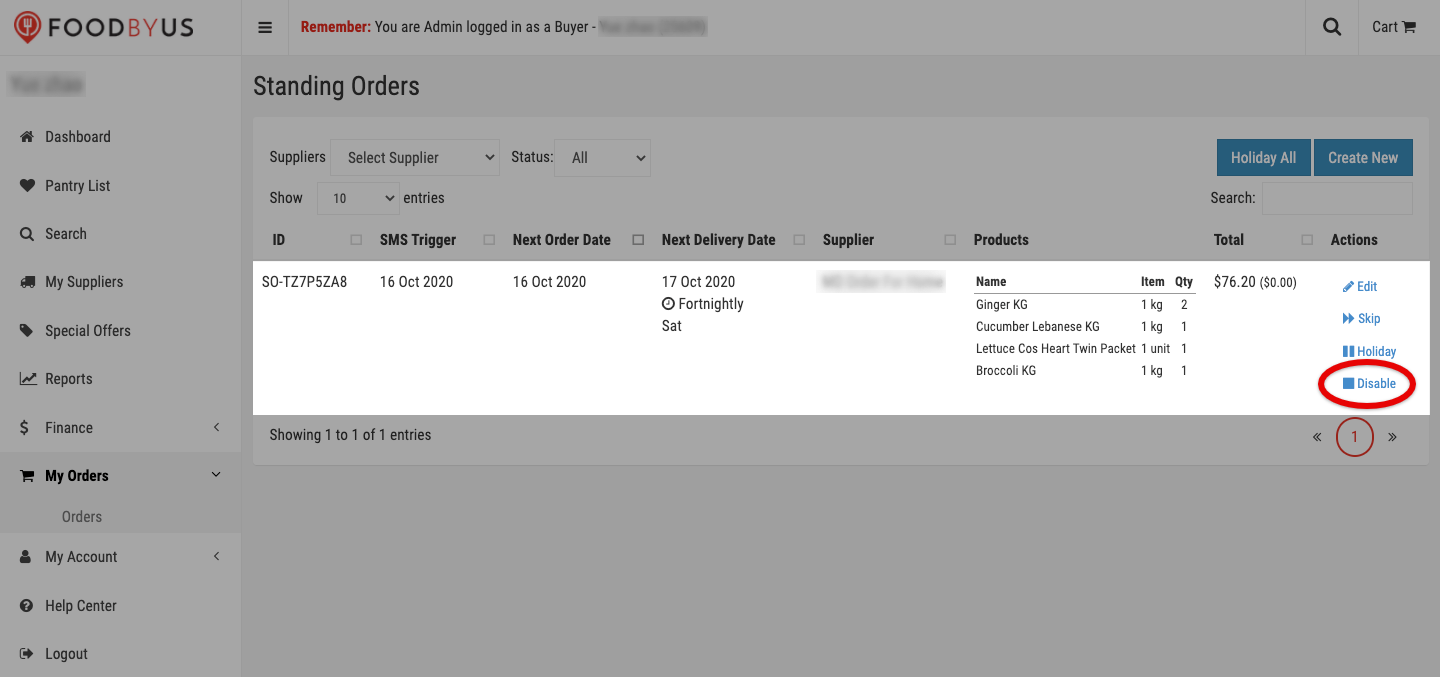
If you’d like to delete an active SO altogether, first disable it.
Then hit Delete.

Click on Confirm.
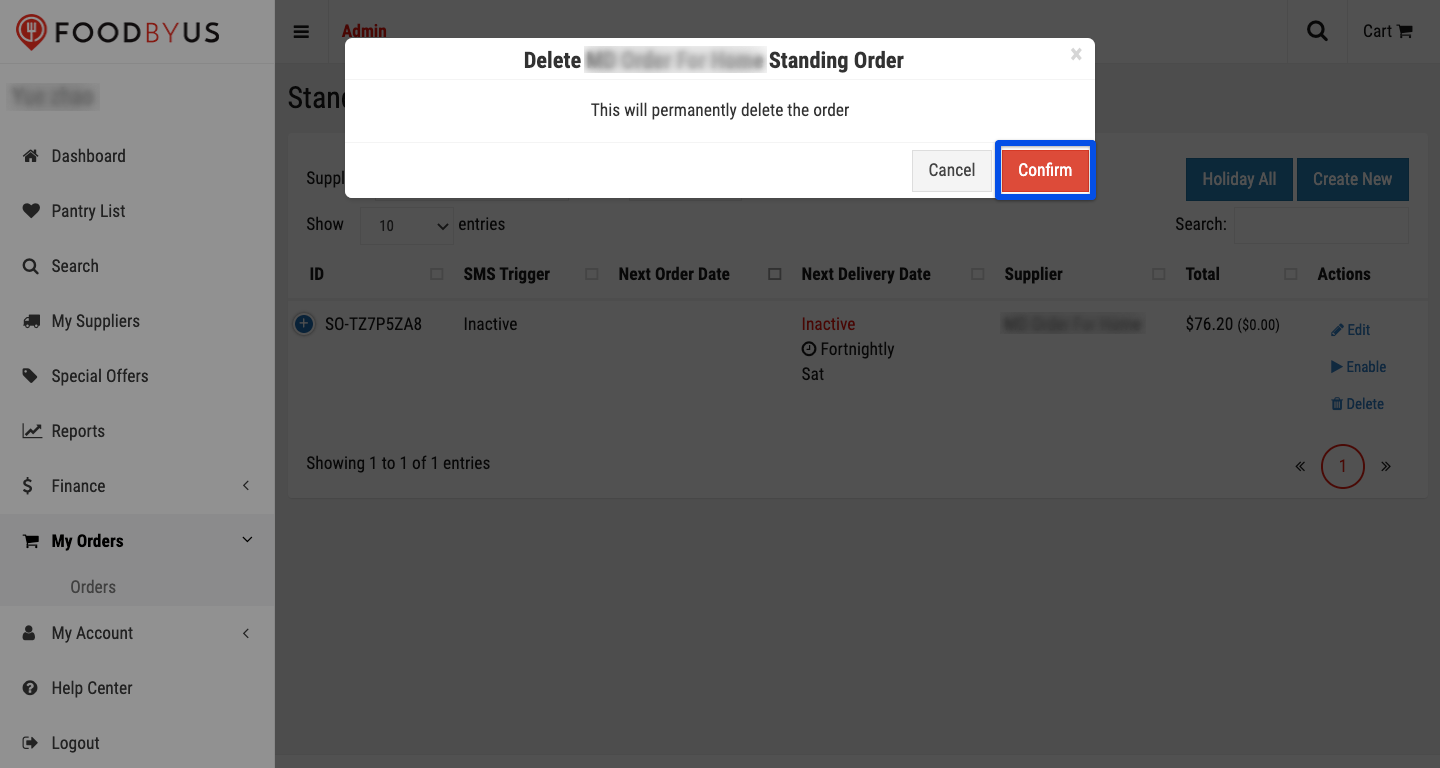
Your SO is now deleted.
